01 / ATTRACTIONS
A record of the bigger changes.
Keep manufacturer documents, major overhauls, modifications and inspection reports associated with the attraction they describe.

DWELLPRINT BUSINESS
Separate Business subscription · PilotKeep equipment maintenance records, service history, manuals and the companies behind the work together. Scan a QR-linked plaque to reach the right equipment record. Build a history the next team can understand, from a neighborhood business to a park or venue.
No sign-in needed · Fictional records
Explore the fictional sample now. Live Business activation is being prepared. A setup request does not place an order or collect payment.

INSIDE THE BUSINESS DEMO
A neighborhood market. Its equipment, service visits and people to call.
A product for the operation. A Business subscription is separate from Residential and Commercial. You can use the same account, with separate product access and records.
PARKS, ATTRACTIONS & VENUES
Teams change. Contractors come and go. Equipment is repaired, replaced and reimagined. The useful record should remain accessible to the people responsible for what comes next.

Explore how the same approach to keeping records could support a park's venues, attractions and maintenance teams. Park-specific grouping and handover workflows are being developed as a concept; the working Business demo shows today's equipment and service records.
01 / ATTRACTIONS
Keep manufacturer documents, major overhauls, modifications and inspection reports associated with the attraction they describe.
02 / EQUIPMENT
Find individual equipment details and service visits. Our park concept would connect replaceable components to their attraction while preserving each item's own identity.
03 / VENUES
Bring together plans, roof repairs, HVAC service, kitchen equipment, warranties and renovation records for the places your team maintains.
04 / HANDOVERS
Make past work, supporting documents and service contacts easier to understand as people and contractors change. Any ownership handover would require appropriate review and permission.
A RECORD THAT OUTLASTS THE HANDOVER
The technician changes.
The contractor changes.
The history stays connected.
Maintenance software already helps teams schedule and complete work. Dwellprint's focus is making the accumulated record easy to find, understand and carry forward.
For parks with established maintenance systems, the goal is to support the existing process. Integrations and imports would need to be agreed and built for the systems involved.
Dwellprint organizes recorded information. It does not certify ride condition, authorize operation or replace manufacturer procedures, qualified inspections or a park's safety processes. Identification plates must be placed only where the operator and manufacturer permit.
MASTER REPORTING / STANDARD BUSINESS FEATURE
Generate a master report across all equipment linked to one business site, or choose the items you need. Bring the equipment register, recorded service and supporting references together without building a separate report for each item.
Part of standard Business reporting. No separate reporting add-on.
Try a master reportWorking preview with fictional Alder Market records. Live availability follows Business activation.
Uses the records you have saved. Missing records remain visible as gaps; they are not equipment-condition findings.
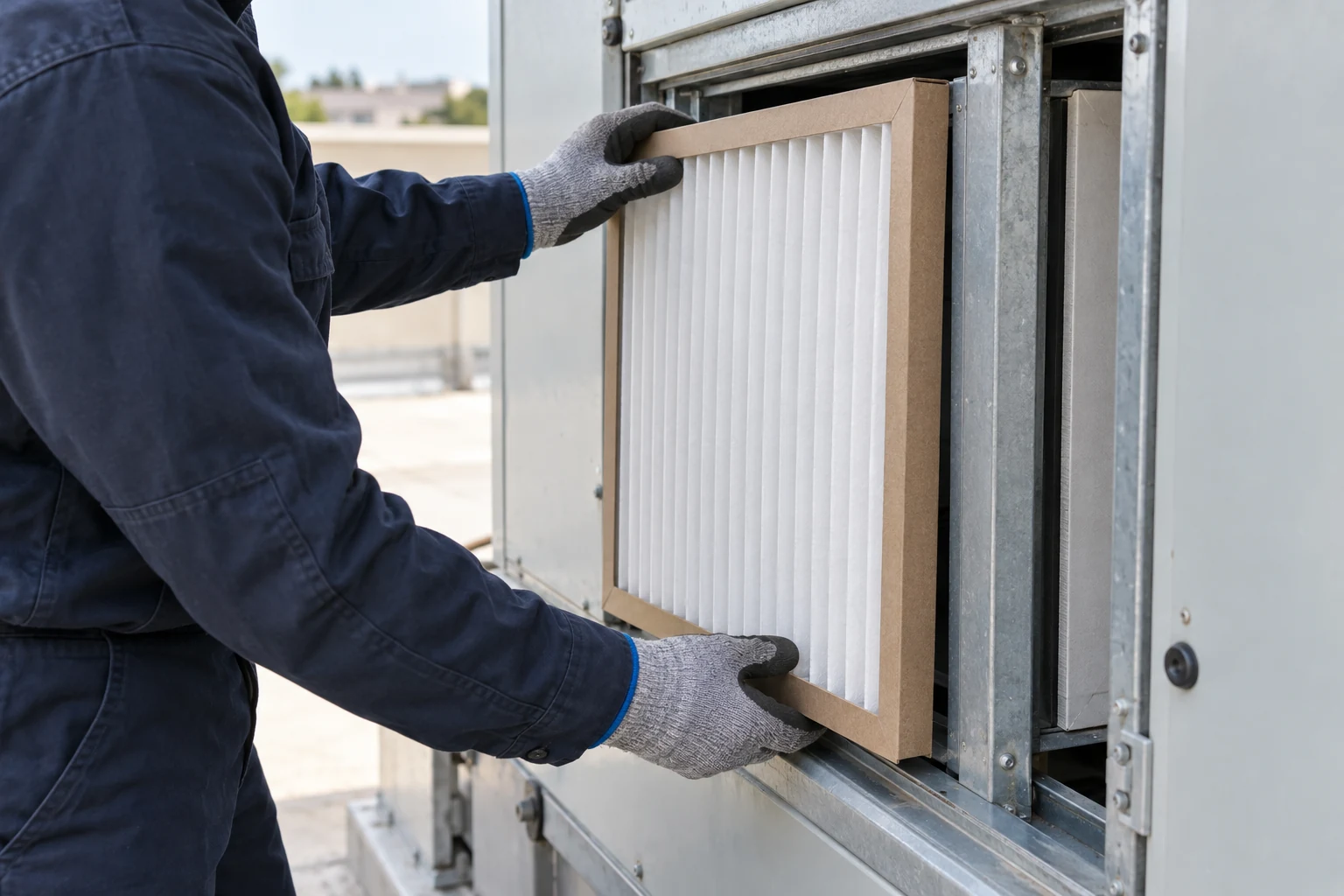
BEFORE THE NEXT SERVICE CALL
Find the last repair, the equipment guide and the company that did the work. Keep that history with the equipment, even when your team changes.
Try it at Alder Market: open the rooftop air handler, then look through its service history.
Explore the equipment demo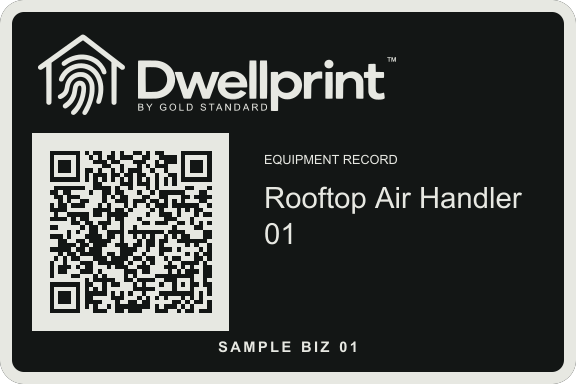
A NAME ON THE EQUIPMENT
Rooftop Air Handler 01. The equipment name is engraved on its plaque, alongside its own QR code and serial number.
Scan it to reach that equipment’s record and find the service history your team has saved. Private records require sign-in and permission.
LESS SEARCHING. A CLEARER RECORD.
Find equipment by name or location. Keep its details, documents and service visits connected to the right business site.
Record completed work and the next service date. Review the history before the next visit, with private notes for your team.
Connect service companies and agreements to the equipment they cover. Keep contact details, renewal dates and supporting documents together.
YOUR SELECTED PUBLIC SERVICE VAULT
A public service link can show selected equipment, service history and documents without requiring the visitor to sign in.
Your administrator decides what to publish. Private team notes, financial notes and personal contact fields are excluded from the public view. Review the full contents of any attachment before sharing it.
YOUR BUSINESS. ITS OWN SUBSCRIPTION.
Business starts with a $300 initial purchase plus $15/month membership. Monthly membership begins with your purchase; the first year is not included. Tell us about your sites, equipment and service records so we can confirm setup, storage and availability.
A setup request does not place an order, collect payment or start a subscription.
Yes. Master reporting is part of the standard Business scope, with no separate reporting add-on. The working preview combines all or selected equipment linked to one authorized business site, with a date range for recorded service. Reports can be printed, saved as PDF through your browser or exported as CSV. Combining separate business sites and persistent ride/component relationships are not included in this first version.
The park and venue example illustrates a direction for Business. The current workspace organizes equipment and service records; it is not a ride inspection, operational clearance or safety certification system. Park-specific workflows need to be developed and validated with operators and qualified specialists.
No. Business is a separate product with its own subscription. An existing account can be used for more than one product, but purchasing one does not unlock the others.
Commercial is for the landlord’s building, spaces and tenant history. Business is for the operator’s equipment, service companies and maintenance work. The same address may need both products, with separate subscriptions and records.
Live Business setup is being prepared. You can explore the fictional sample now and request setup. Our team will confirm availability and activation before you start using your own business records.
No. Dwellprint organizes the information recorded by your team. It does not certify equipment condition, replace inspections or send automatic service reminders.